AI planning
Smart daily prioritization
TaskFlow Smart reviews your inputs and suggests what to do first, what can wait and how to keep momentum without overwhelming your day.
Built for iPhone
A calm productivity app for iPhone that turns a messy task list into a focused daily plan. Capture quickly, prioritize with AI and move through work with more confidence.
Capture fast
Build tasks quickly with details, organization and priority in one place.
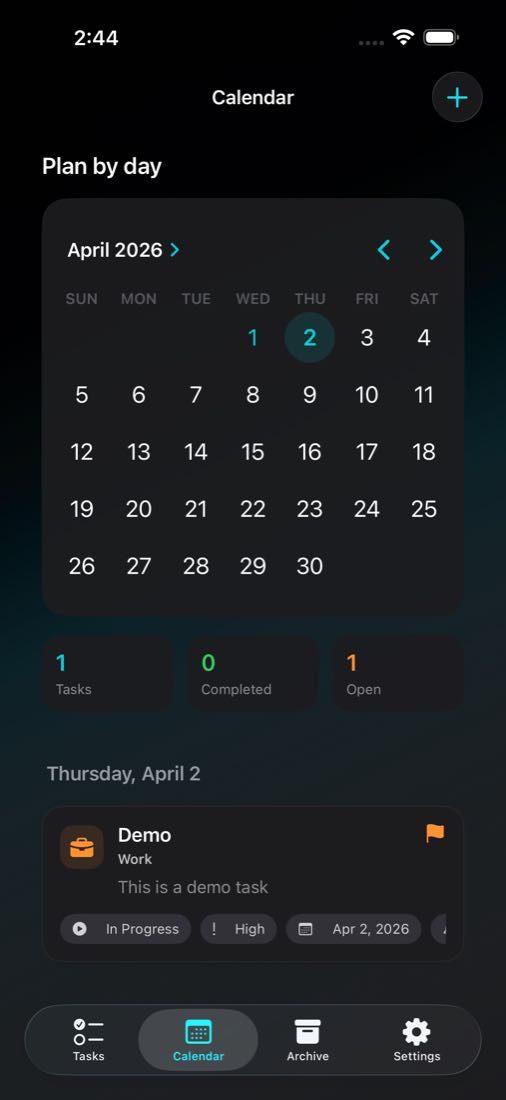
Plan visually
3 core flows
capture, planning and daily calendar
Real product
The visual direction now presents the app as software, not as forced hardware mockups.
Why it works
The product experience is split into focused building blocks so users can capture tasks, prioritize intelligently and move through the day with less friction.
AI planning
TaskFlow Smart reviews your inputs and suggests what to do first, what can wait and how to keep momentum without overwhelming your day.
Capture
Add tasks in seconds, collect ideas throughout the day and clean them up later with a flow that feels native and lightweight on iPhone.
Focus
See only what matters today, keep upcoming work visible without noise and stay aligned with a planner view designed for focus.
Product preview
Instead of wrapping every screen in fake hardware, the gallery now treats the app as the product itself: clear surfaces, strong hierarchy and direct visibility into each flow.
Direct product view
The screenshots read cleanly without competing against decorative device frames.
Lighter visual system
The new treatment is calmer, sharper and more aligned with a modern product page.
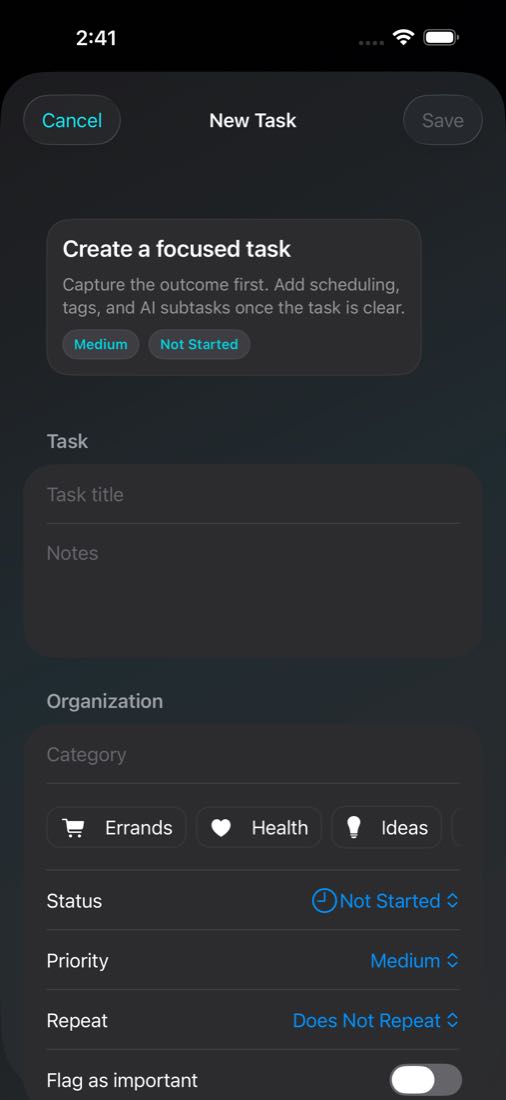
Capture
Add tags, priority, notes and structure from a single clean task composer.
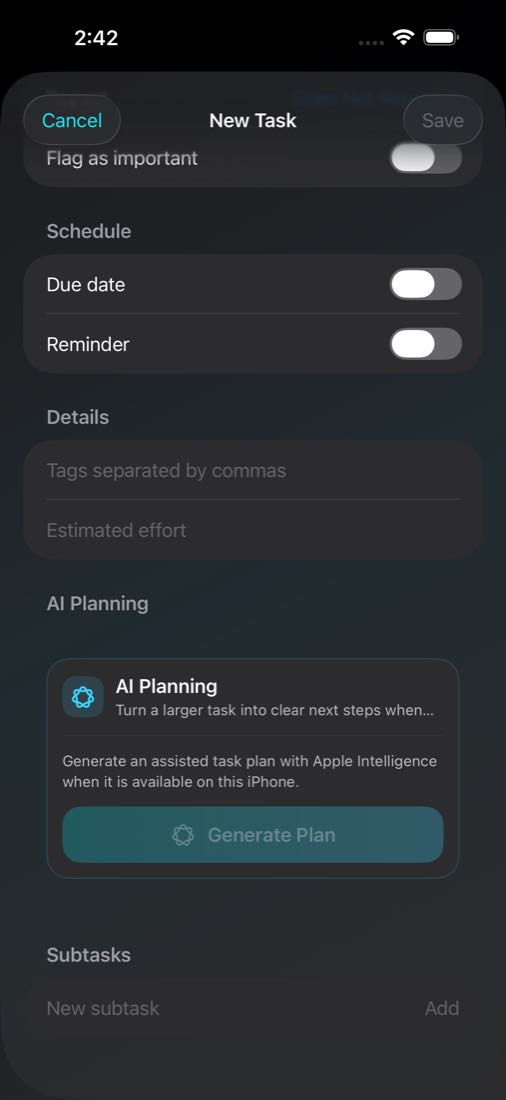
AI
Turn a large task into a more manageable plan with assisted breakdowns.
Calendar
See the month, today’s tasks and progress in one calm calendar view.
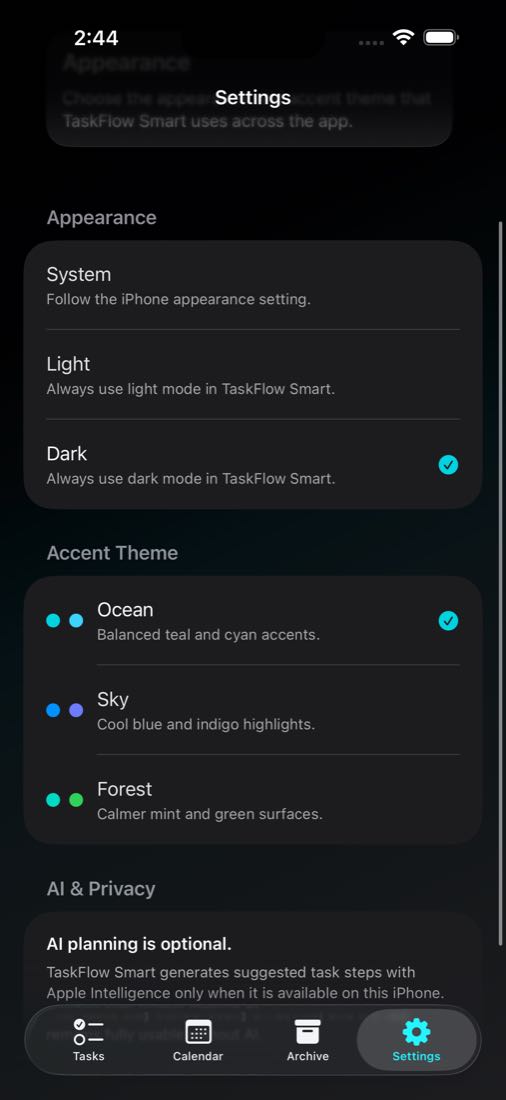
Dark Mode
A darker visual system that keeps sections readable without visual noise.
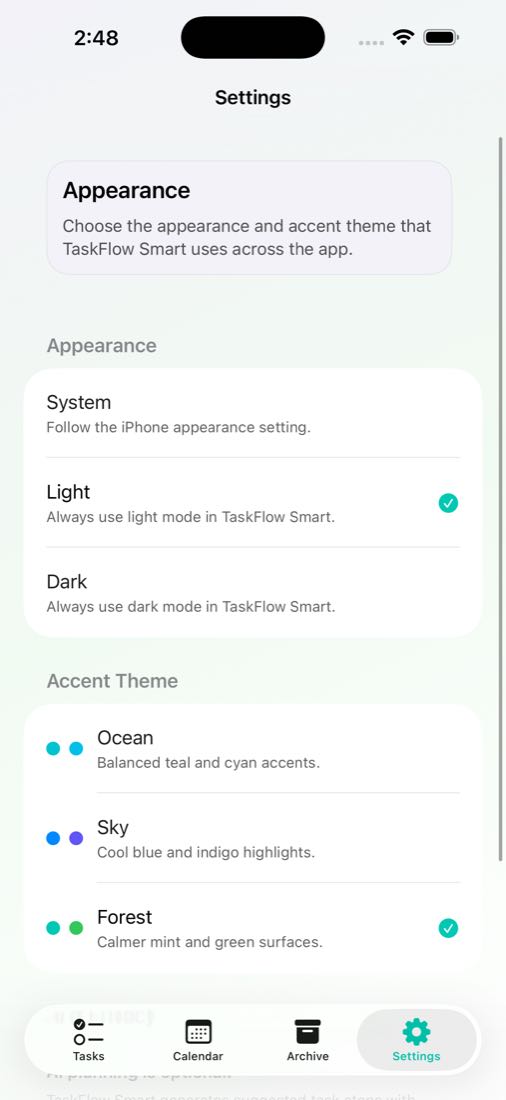
Light Mode
A bright interface with soft surfaces and clear hierarchy across settings.
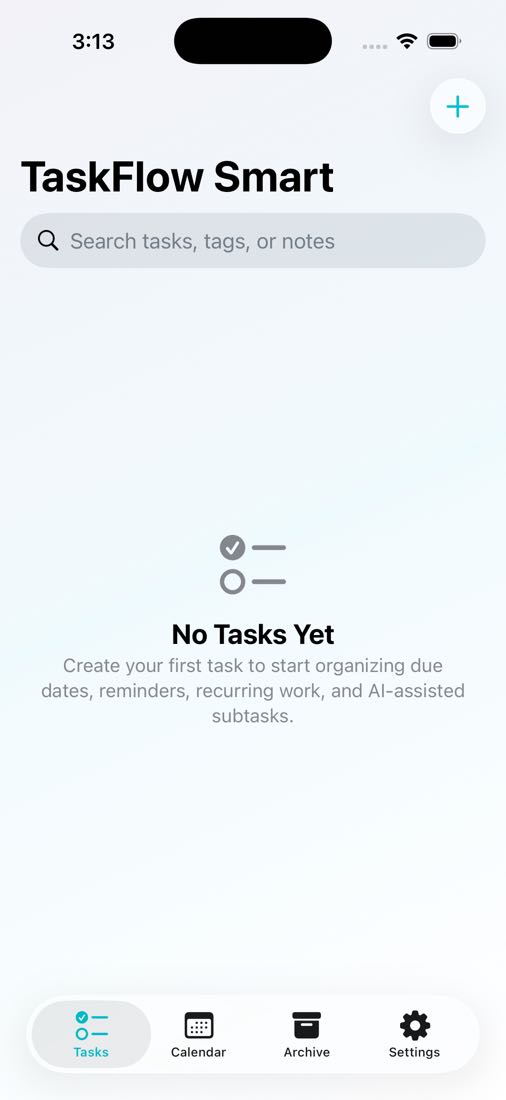
Start
Open the app to a focused starting point with search and quick entry nearby.
Built for iPhone
The landing now routes users to working internal pages and shows the actual app screens you added, which makes the site feel closer to a real launch page.